> ## Documentation Index
> Fetch the complete documentation index at: https://bruno-a6972042-mintlify-71caebff.mintlify.site/llms.txt
> Use this file to discover all available pages before exploring further.
# JavaScript Sandbox
Bruno provides two modes for executing JavaScript code in your collections:
1. Safe Mode
2. Developer Mode
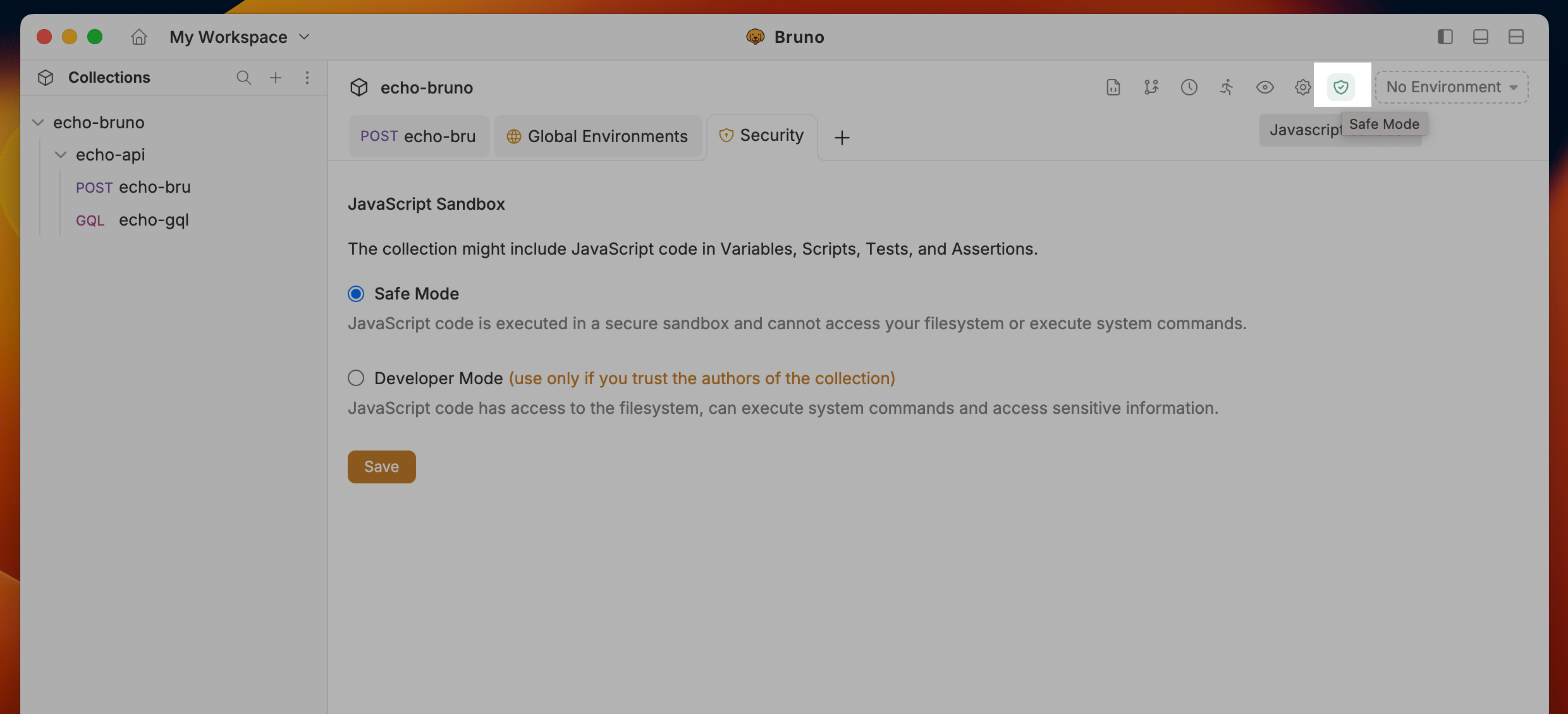 ## Safe Mode
JavaScript code is executed in a secure sandbox and cannot access your filesystem or execute system commands. We recommend Safe Mode for most users.
When in doubt, leave the Collection in Safe Mode. You can always switch to Developer Mode later.
## Developer Mode
JavaScript code has access to the filesystem, can execute system commands and access sensitive information.
#### When to use Developer Mode
* You trust the collection source/authors (Ex: Collection maintained by you/your team) and Safe Mode is not enough for your use case.
* You need to use external npm packages in your scripts
* Your collection needs access to filesystem / system commands
#### When to avoid Developer Mode
* You are running a collection that you do not trust (Ex: Downloaded from the internet)
Developer Mode can be dangerous and should only be used when you fully understand the implications.
## Safe Mode
JavaScript code is executed in a secure sandbox and cannot access your filesystem or execute system commands. We recommend Safe Mode for most users.
When in doubt, leave the Collection in Safe Mode. You can always switch to Developer Mode later.
## Developer Mode
JavaScript code has access to the filesystem, can execute system commands and access sensitive information.
#### When to use Developer Mode
* You trust the collection source/authors (Ex: Collection maintained by you/your team) and Safe Mode is not enough for your use case.
* You need to use external npm packages in your scripts
* Your collection needs access to filesystem / system commands
#### When to avoid Developer Mode
* You are running a collection that you do not trust (Ex: Downloaded from the internet)
Developer Mode can be dangerous and should only be used when you fully understand the implications.